Game layer
Runs
A run is one go of the runner across the live candles. The server replays it to score it.
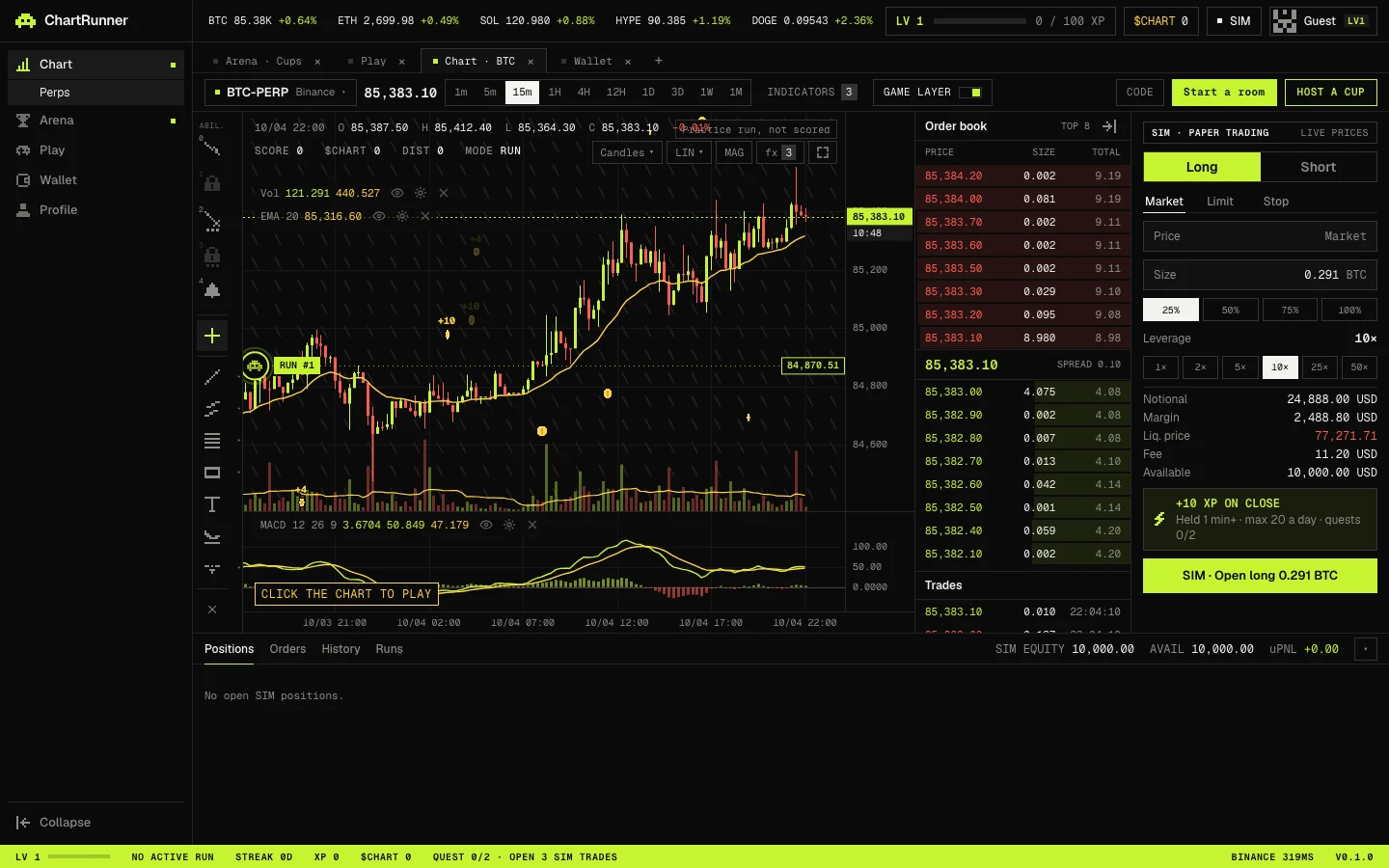
Starting a run
Switch on GAME LAYER in the chart toolbar and click the chart, which reads CLICK THE CHART TO PLAY. The runner starts on the market and timeframe you are looking at. Candle highs are the ground, and the run ends when the runner lands too hard (Fatal volatility fall) or drops off the world (Fell into the void). Press R to start a new run.
There are three ways to play: Coin Chase on any live chart in the terminal, the shared Daily chart, and races inside a room.
Controls
| Keys | Action |
|---|---|
| ← or A, → or D | Move |
| ↑, W or Space | Jump |
| ↓ or S | Jump while upside down |
| ↑ ↑ | Step up one mode: upside-down flying, upside-down running, running, flying |
| ↓ ↓ | Step down one mode: flying, running, upside-down running along the candle lows, upside-down flying |
| ← ← or → → | Dash |
| R | Restart |
The chart must have focus for the keys to work. On a touch screen the same moves are buttons over the chart.
Abilities
With the game layer on, the tool rail gains an abilities group on keys 0 to 4. A laser pauses the run while you aim: move the aim, press Enter to place, Esc to cancel. The 3 charge dots on each laser are a counter only and never block a placement.
| Key | Ability | What it does |
|---|---|---|
| 0 | Trail | Tap to show the runner's path; hold to draw it on the chart |
| 1 | Vehicle | Not available yet (the app shows “Coming later”) |
| 2 | Red laser | Aim, then place a drawing |
| 3 | Blue laser | Aim, then place a SIM limit order at the aimed price: long below the market, short above it, sized at 25% of available balance with 10× leverage. Unlocks at level 5; the same order is always available from the order panel at any level |
| 4 | Alarm | Aim, then set a price alert |
Run readout
| Field | Meaning |
|---|---|
| SCORE | Points from coins: 10 for a large coin, 4 for a small one |
| $CHART | Points earned this run. See Coins and quests |
| DIST | How far right the runner got from where it started |
| MODE | RUN or FLY, with UPSIDE when flipped and DASH while dashing |
Saving a run
When the runner dies with a score above 0 the run is sent to the server, or press SUBMIT RUN to send it sooner. The server replays your inputs against its own copy of the same candles and stores its own score, never the browser's. Runs are capped at 30 minutes.
| Chip | Meaning |
|---|---|
| SUBMIT RUN | Send the current run now |
| SAVING RUN… | The server is replaying the run |
| SAVED · SCORE … | Stored, with your rank on today's board and the $CHART banked when there is any |
| An error with RETRY | The run was not saved; try again |
If the server cannot issue a ticket for the run, it is a practice run and a chip reads Practice run, not scored. When the app falls back to backup market data it reads Scores paused: fallback market data.
Your last 10 scored runs are listed under Recent runs on the Profile page, with when, chart, score, distance and mode.