Account
Wallet and $CHART
Your SIM account, your $CHART points, the Solana wallet you sign in with and your recent activity.
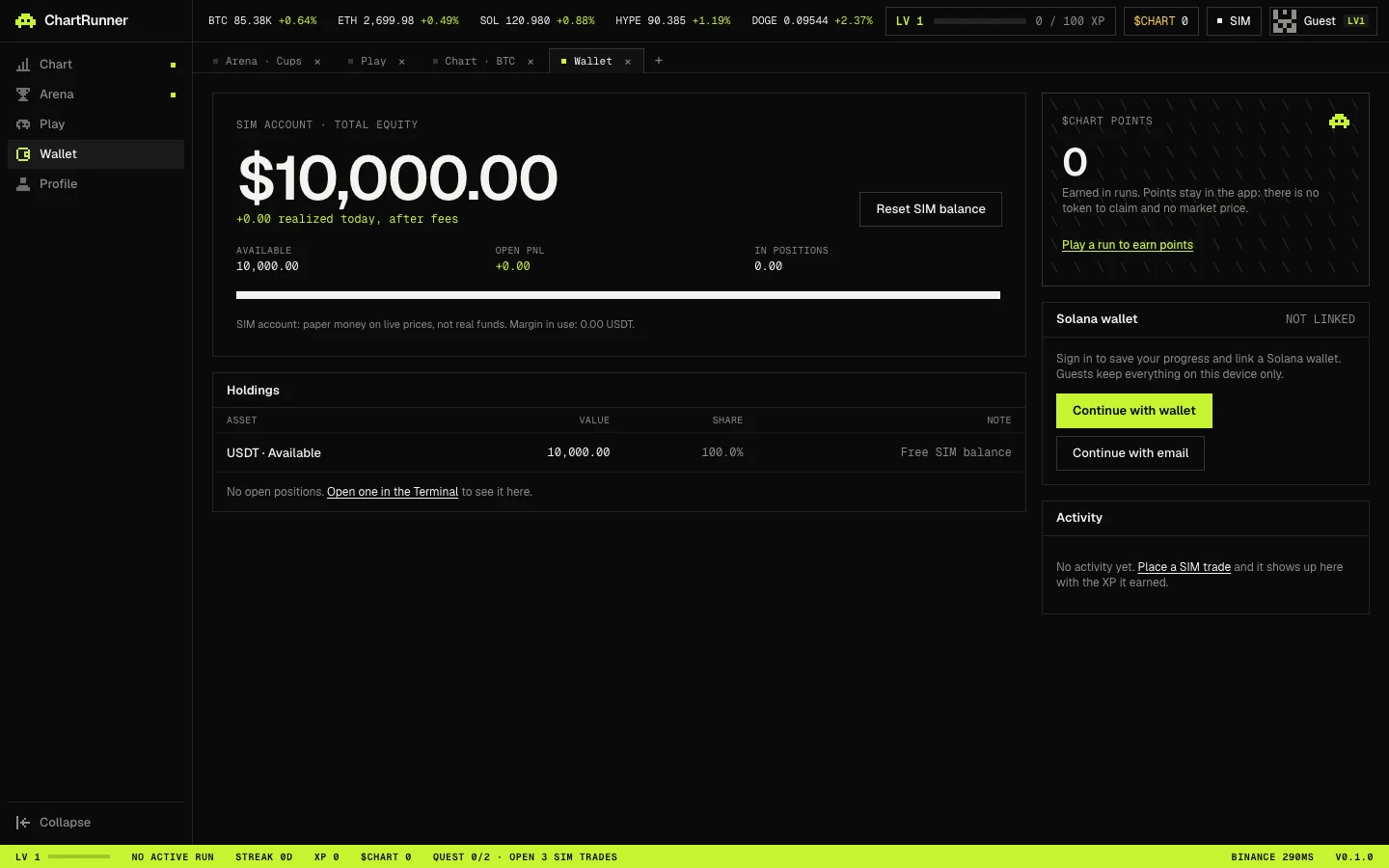
SIM account
SIM ACCOUNT · TOTAL EQUITY shows your paper equity and what you realized today after fees, with AVAILABLE, OPEN PNL and IN POSITIONS under it. There is no deposit, withdrawal or transfer: SIM balance is not real money.
Reset SIM balance asks for confirmation, then sets the balance back to 10,000 USDT and clears open positions, orders and trade history. Your XP, level and streak are kept.
Holdings
The Holdings table lists USDT · available and each open position with its VALUE, SHARE of equity and a NOTE such as the mark price. To trade, use the terminal.
$CHART points
The $CHART POINTS panel shows the points you have banked from runs. In the app's words: “Points stay in the app: there is no token to claim and no market price.” They cannot be sent, sold, withdrawn or exchanged for anything, and they have no cash value. See Coins and quests for how runs earn them.
Solana wallet
- As a guest you see Continue with wallet, Continue with Google and Continue with email. Guests keep everything on that device only; signing in saves progress to your account.
- Supported wallets are Wallet Standard wallets such as Phantom, Solflare and Backpack, and Mobile Wallet Adapter on Android.
- Linking a wallet means signing a free message. Nothing is spent.
- The wallet is for sign-in only. ChartRunner never holds or moves your funds, and a linked wallet cannot be changed yet.
Activity
Activity lists your latest 40 SIM fills as Opened, Added to, Reduced, Closed or Liquidated, with realized PnL and any XP the trade earned.